Some posts on this site contain affiliate links. If you book or buy something through these links, I earn a small commission (at no extra cost to you). Take a look at my privacy policy for more information.
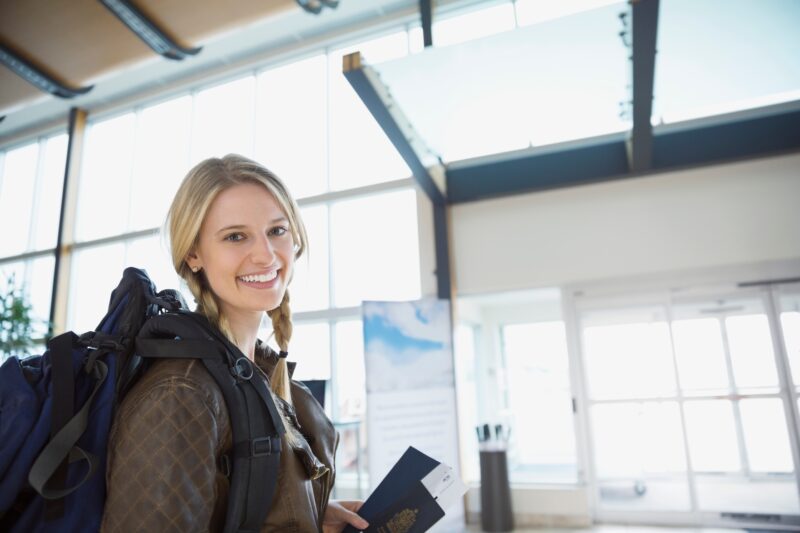
When you’re planning a trip, your mind usually goes straight to the fun stuff. Where to go, what to eat, how many outfits you really need. Meanwhile, your travel documents? They’re sitting quietly on the side, just waiting to cause trouble the second you stop paying attention.
And they can — very fast. A wrinkled passport, a missing visa printout, a water-damaged ID… one tiny mishap and suddenly your dreamy trip starts feeling like an obstacle course.
The bright side? It doesn’t take much to protect yourself. A few good habits, a little organisation, and one or two clever tools can save you from those “oh no…” travel moments.
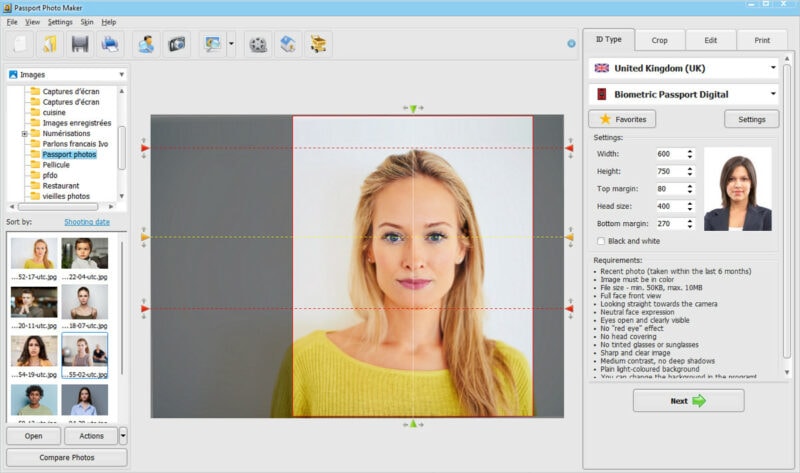
One of those tools is a passport size photo maker, especially one you can use offline or on the go. Passport Photo Maker, for instance, lets you create passport or visa photos anywhere. It sounds like a small thing, but if you’ve ever needed a compliant photo at the worst possible moment (hello, surprise visa check!), you know how priceless this can be.
Here’s a friendly, down-to-earth guide to keeping your documents safe, avoiding unnecessary stress, and handling emergencies like someone who has been travelling for years.
1. Keep Your Originals Safe (Not Buried, Not Loose, Just… Safe)
Most travellers know they should keep their passport close — but how you store it matters.
A few habits that make a world of difference:
- Slip your passport into a waterproof pouch. Humidity and random spills are the silent killers of travel documents.
- Don’t shove everything into your backpack “just for now.” The “now” part always lasts too long.
- Separate essentials. Keep your passport with you, but store other printed papers in a different bag.
READ MORE: How to Protect Your Valuables when Travelling
If you’re backpacking, camping, island-hopping or travelling somewhere humid, this becomes even more important. Your documents have zero protection against sweat, rain, sunscreen, or the inside of a wet towel.
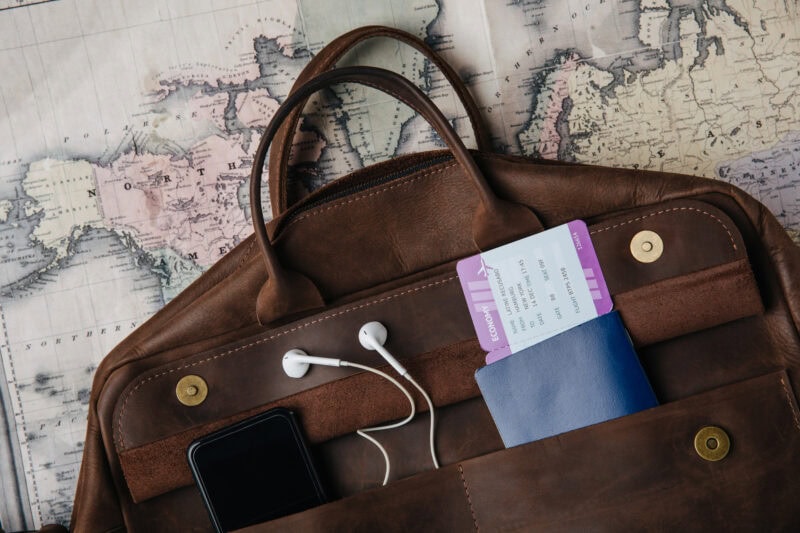
2. Make Digital Copies (Your Silent Emergency Kit)
Ask any frequent traveller what saved them during a stressful moment abroad. Nine times out of ten, they’ll say: digital copies.
Before leaving, scan or photograph:
- Passport ID page
- Visas
- Driving licence
- Travel insurance
- Flight and accommodation confirmations
Then save them in three places:
- Your phone (in a locked folder)
- Cloud storage (Drive, Dropbox, or OneDrive — whatever you use already)
- A tiny USB stick
If your documents are lost or stolen, these backups speed up everything: the police report, the embassy visit, the emergency passport. Honestly, it’s one of the easiest habits to adopt.
3. Protect Your Personal Data (Digital Safety Is Travel Safety)
When you’re travelling, you often use public Wi-Fi, airport computers, hotel networks… places that aren’t exactly secure. It’s easy to forget that your digital information is part of your travel documents too.
A few simple habits help a lot:
- Use a VPN whenever you log in to email or banking apps.
- Turn off Bluetooth, NFC and AirDrop unless you’re actually using them.
- Avoid hotel lobby computers — many store cached data without you knowing.
- Put a password on your “documents” folder on your phone.
Think of digital security the same way you think of locking your suitcase. Essential, not optional.
4. Double-Check Visa and Entry Rules (They Change More Than You Think)
Every country has its own entry rules, and they love changing them, sometimes without big announcements.
Before your trip:
- Visit the official government immigration page
- Check if you need physical photos
- Confirm photo size, background colour, and number of copies
- Print everything ahead of time if you can
This alone saves hours of stress.
But if you realise at the airport that you’re missing proper photos? Yep, it happens. More often than you’d think.
5. When You Suddenly Need Passport Photos… Now
There’s always that one moment in a long trip where you hear someone say, “You need passport-size photos for this,” and you feel your stomach drop.
It’s common in situations like:
- Losing your passport abroad
- Applying for a last-minute visa
- Entering a country with strict border checks
- Renewing a child’s passport during a long trip
- Backpacking in a region where photobooths don’t exist
That’s when having proper software becomes a lifesaver. With Passport Photo Maker, you can:
- Generate compliant photos for dozens of countries
- Automatically crop and resize the image
- Switch backgrounds to plain white
- Print the photos anywhere or download them instantly
It’s one of those tools you don’t think about… until the day you absolutely need it.
6. Build a Small “Document Kit” You Carry Everywhere
It doesn’t need to be fancy. Just organised.
A simple setup:
- Slim A5 folder for printouts
- Waterproof pouch for the passport
- USB stick with digital copies
- Cloud folder for remote access
- Small notebook with emergency contacts
- Two recent passport-size photos
This tiny kit fits in any bag and helps you handle almost any administrative situation on the road.
7. Know What to Do If Something Goes Wrong
Lost passport? Damaged visa? It’s stressful, yes, but not the end of the world.
Here’s the usual order:
- Make a police report (if required)
- Contact your embassy or consulate
- Send your digital backups
- Use Passport Photo Maker to create new ID photos if needed
- Provide proof of travel (hotel bookings, flights)
Stay calm. These situations feel dramatic at the moment, but they’re usually resolved quickly.
8. Final Travel-Smart Tips
These little habits can save you from big headaches:
- Keep your paperwork light — too many papers = disorganisation
- Update digital copies regularly
- Use a cross-body bag or hidden pocket in crowded cities
- Don’t keep your passport in checked luggage
- Learn the local rules: some countries require you to carry ID at all times
Travel feels so much easier when you aren’t worrying about documents.
Conclusion: When Your Documents Are Safe, You Get to Enjoy the Trip
Taking care of travel documents isn’t glamorous, but it’s one of the smartest things you can do before crossing any border. With a few protective habits, proper backups, and a handy tool like Passport Photo Maker, you’ll be prepared for everything from basic ID checks to unexpected emergencies.
And once all that is sorted? You’re free to enjoy what you actually came for — discovering new places, relaxing, wandering, tasting new food, getting lost (the fun kind), and making memories that matter.